Holiday travel and online banking might seem like they were made for each other. After all, with digital banking you can manage your accounts and make payments from anywhere you have an Internet connection and a digital device. As convenient as this is, it can also leave you vulnerable to cyber hacking and other scams, especially when you’re away from home. We have many tools available to help protect your banking information while traveling, although it will also require a bit of planning and effort on your part.
A recent survey by the American Bankers Association found that 54% of bank customers use mobile apps on their smartphones or tablets to manage their bank accounts, and just 22% do their online banking using a laptop or desktop computer more often than a mobile device. The percentage of those using mobile banking apps as their primary banking method has more than doubled since the ABA first conducted this poll in 2017.
Meanwhile, texting and messaging scam attempts have increased by 50% over the past year, according to a recent analysis by Consumer Reports. It found that 30% of those who encountered a digital scam or cyberattack in the past year said it began through a text message or a messaging app, a 20% increase from the year before.
The financial losses from scams grew substantially in 2024, according to the Federal Trade Commission (FTC). Consumers lost more than $12.5billion to fraud in 2024, a 25% increase from the previous year. Investor scams were the most common type of fraud, with $5.7 billion in losses. Imposter scams came in second at $2.95 billion.
The increasing popularity of online and mobile banking makes them a popular target for cyber hackers and thieves. When people are traveling, they might be in a rush to get somewhere and not as careful with their digital security as they might be if they were at home. At the same time, cyberattacks and hacking attempts keep increasing each year, as scammers look for the weakest links in your digital security chain.
Using an unsecured network or public Wi-Fi may be convenient when traveling, but it can leave you vulnerable to getting hacked. When a hotel or coffee place offers free Wi-Fi, there isn’t much of an incentive for them to keep their network as secure as your home or workplace. For scammers, these places can be a gold mine full of people who might not fully protect their devices. Hackers look for unsecured networks and public Wi-Fi signals where they can quietly intercept people’s data without anyone realizing it. This could give them access to your personal data, such as passwords and account numbers. Try to avoid using any network unless you know for sure that it’s secure, and don’t use public Wi-Fi to log on to your financial accounts or conduct transactions.
A lost or stolen smartphone, tablet, or laptop computer can be more valuable to thieves than your wallet and credit cards—especially if your device isn’t secured with multiple layers of protection. If keeping your phone and financial apps unlocked is a convenience for you, consider just how easy it would be for someone to access your accounts if your device were lost or stolen.
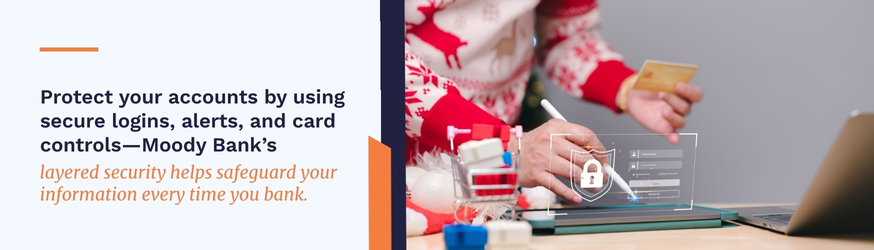
We use industry-accepted standards to keep your information secure. This includes encrypted transmissions and a firewall, which is a combination of computers and systems to protect our systems and your accounts from unauthorized access.
When you’re banking online with us, we transmit all payment information using Secure Sockets Layer (SSL) protocols that create a secure, encrypted connection with your device. We also use dual key cryptography so that each browser installation and every server has an encryption key and a unique code for every transmission.
We require two levels of secret information, such as your username and a password. We automatically log you off after 10 minutes of inactivity and lock any customer’s account after three unsuccessful attempts to log on to their account.
With MyCardRules, you can set card controls on your Moody Bank debit and credit cards, using our online portal or mobile banking app. This lets you decide when and where your cards are used, turn them on and off and set spending limits. You could set limits based on the dollar amount, the type of transaction, or the type of merchant. With MyCardRules, you can also set parental controls and monitor the activities if any of your children have a credit or debit card linked to your accounts.
To protect your banking information while traveling, make sure you only transmit data using secure networks, keep your apps and devices updated, be aware of the latest travel scams, and consider using a virtual private network (VPN).
If you must engage in financial transactions or monitor your accounts while traveling, a smartphone hotspot, network adapter, or 4G and 5G cellphone networks will likely be more secure than using public Wi-Fi. Also, turn off the auto-connect features on all your devices to keep them from hopping onto an unsecured network without your knowledge or permission.
A virtual private network (VPN) is a computer program that creates a secure, encrypted connection with your device to keep your data secure. VPNs are so secure and easy to use that many employers require their employees to use them on all workplace devices, such as computers, smartphones, and tablets.
One of the simplest ways to keep your devices secure is to update them on a regular basis. This includes your device’s operating system and any web browsing or security apps that you use. Software companies routinely update their products to protect them from cyberattacks. Updating your devices at home or at work improves their safety and reduces the chance that you may have to update them over a less secure network while traveling.
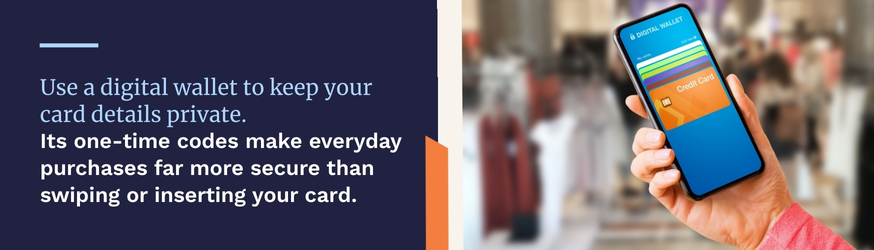
When you use a credit or debit card for a transaction, the merchant and their device have access to your account information, which could be hacked into by cybercriminals. With a digital wallet on your phone, you can store your payment information and use the wallet to pay for things. The merchant receives a code that can only be used once, which allows for more secure transactions.
Take a close look at your spending and transaction habits during a regular week and when traveling. If you never spend more than a certain dollar amount, then placing alerts and transaction limits can help reduce your chance of fraud.
There are all sorts of travel-related scams, as scammers try to catch people off guard when they know they’re on the move and could be tired, distracted, and more likely to fall for their schemes. These include:
As mentioned above, make sure that any Wi-Fi you connect to is secure and legitimate, avoid entering sensitive information while using public Wi-Fi, and consider using a VPN to remain safe.
These mobile banking security tips can help you keep your devices and accounts safe while traveling and when you’re spending time at home.
Store the right contact information, websites, and texting notification numbers on your smartphone. This may include your airline, hotel, Airbnb, and anything else you have planned, such as tickets to an amusement park. If someone reaches out to you to confirm or change your plans, you’ll want to make sure you’re dealing with the right people. This can also save you plenty of time and inconvenience if you have to change your plans yourself.
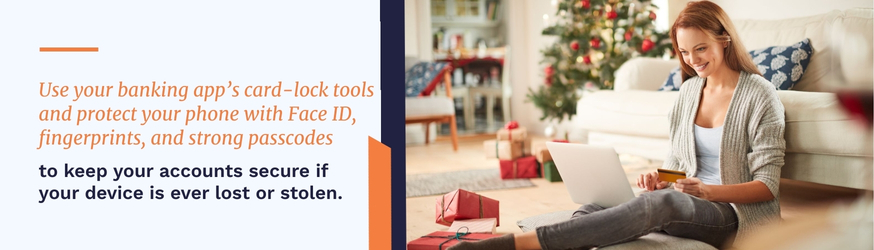
Our banking app makes it easy for you to lock and unlock your Moody Bank credit and debit cards. While this can help protect your finances, it’s only secure as long as you protect it and your device. Use whatever security methods would best protect your phone if it were lost or stolen. For many smartphones, this means using your face or a fingerprint, which you can also use with our free banking app. You should also enable PINs and/or passwords for any other financial apps as an extra layer of security.
We are notifying your bank and your credit card company if you’re traveling to another country, so they don’t block any transactions for being suspicious. You might also place temporary limits on the types of transactions and the amounts that someone can charge your account or receive cash from an ATM.
Even the best layers of travel banking security could be penetrated by a scammer if one of your devices (or your debit and credit cards) is lost or stolen. This can be especially frustrating while traveling.
We make it easy to report a lost or stolen Moody Bank debit or credit card, and we recommend you save this information on your phone and have our numbers written down in more than one place. You should have the same information for any other financial account you may need to secure.
• Lost Moody Bank debit card: 866.546.8273.
• Lost Moody bank credit card: 800.367.7576.
If you need help with our mobile banking app and other ways of keeping your accounts secure, please contact us online or visit one of our many locations in Houston, Austin, Friendswood, Galveston, Lake Jackson, New Braunfels, Pasadena, Seabrook, Pearland, League City, Texas City, Sugar Land, and Dickinson.